

caching_sha2_password connect on the first try, with no auth plugin to switch over. The same bundled driver covers 5.7 and later, and MariaDB as well; MariaDB-specific notes are on MariaDB.
Quick setup
1
Create Connection
Click Create Connection… on the welcome window and pick MySQL
2
Test and Save
Fill in host, port, and credentials, click Test Connection, then Save & Connect
Connection settings
The session character set is
utf8mb4, so emoji and non-Latin text round-trip untouched. A connect attempt gives up after 10 seconds.
Connection URL
Common setups
Users & Roles
Database > Users & Roles manages users, roles, and privileges. Changes are staged and shown as SQL before they run. See Users & Roles.Query plans
EXPLAIN FORMAT=JSON, EXPLAIN FORMAT=TREE, and EXPLAIN ANALYZE render as a plan diagram or tree; plain multi-column EXPLAIN stays in the results grid. See EXPLAIN Visualization.
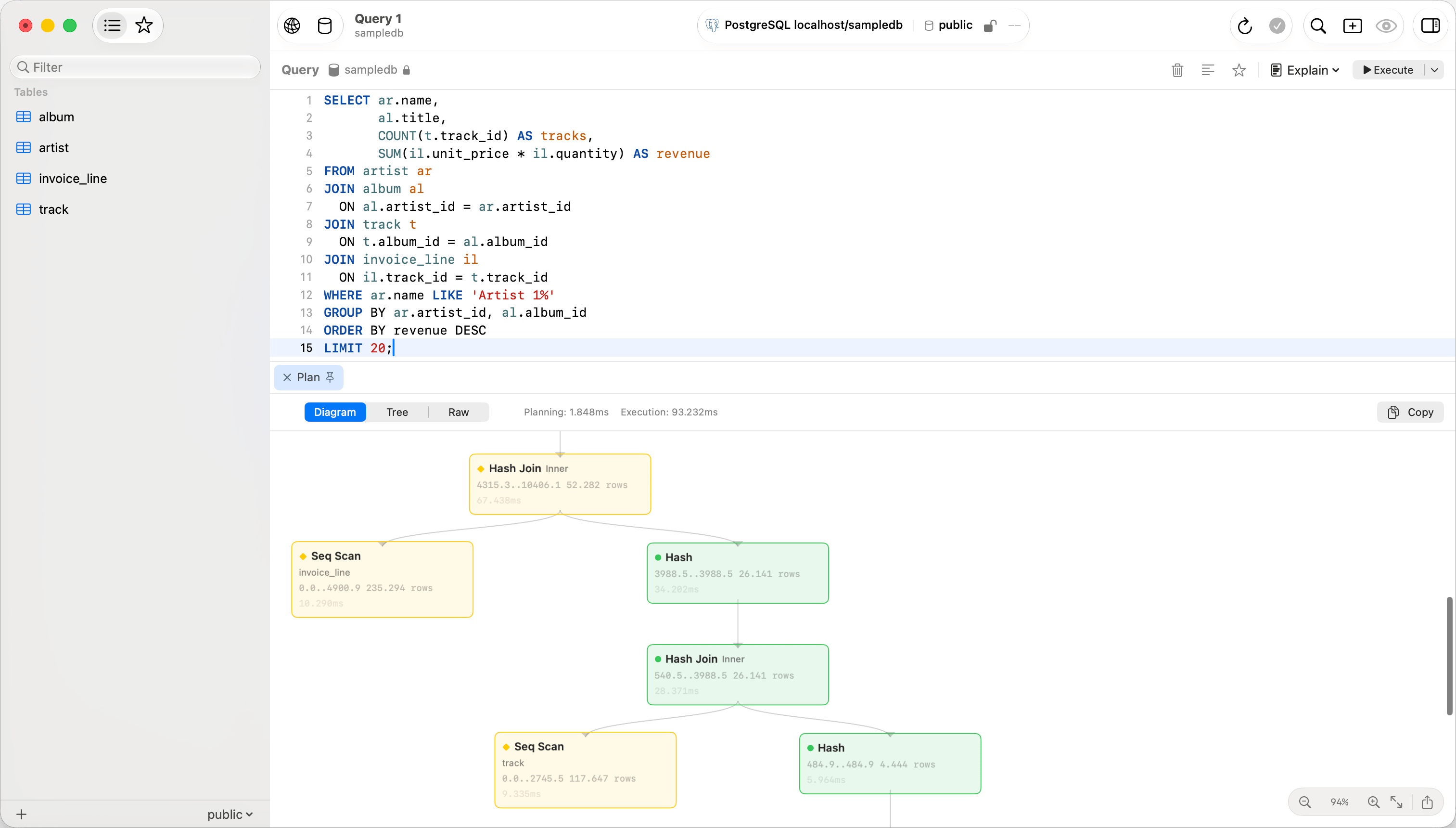
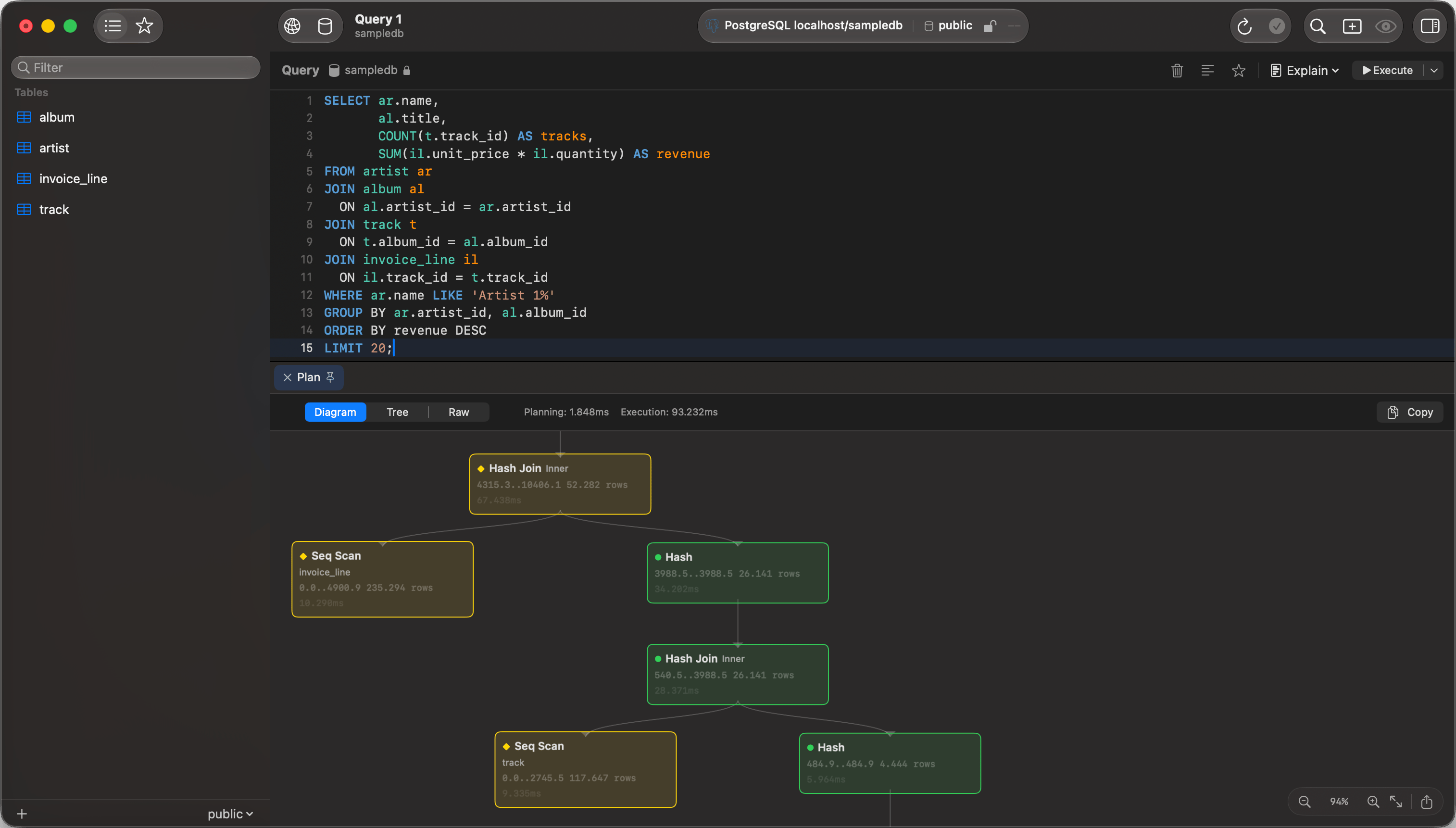
EXPLAIN rendered as a visual plan
Browsing
The sidebar lists every accessible database with each table’s structure and DDL. Switch databases withCmd+K. A tab keeps the database it was opened on; MySQL switches database in place, so that tab runs on the same connection rather than a second one.
Table and column comments show in the UI: dimmed after a table’s name in the sidebar, and in the grid header tooltip. Right-click the sidebar and choose View Options > Comments to turn that off.
SSL/TLS
New connections default to Preferred: TLS first, dropping to plain text only after an SSL handshake error. Pick Verify CA with the provider’s certificate for strict validation. See SSL/TLS.Limitations
- No Unix socket connections. Give the connection a host and a port, and leave networking on in the server.
LOAD DATA LOCAL INFILEis refused by the driver. Load the file with File > Import > Import Data… instead.
Troubleshooting
Connection refused: check the server is running (brew services start mysql), the port is right, and skip-networking is not set.
Access denied for user ’…’@’…’ (using password: YES): the password is wrong, or the grant does not cover the host you are connecting from. Check both with SHOW GRANTS FOR 'user'@'host';.
Auth plugin errors: caching_sha2_password needs no configuration. For any other plugin error, read the account’s plugin with SELECT user, plugin FROM mysql.user;.